Using OpenCode and Ollama to run a Coding Agent on my local gaming machine
This post details how I set up a self-hosted LLM environment to experiment with local models, specifically running the gemma4:e2b model via Ollama on my old gaming machine (with a GTX 970).
Setup
-
Local LLM Host: I installed Ollama on my dedicated old Windows gaming machine. You can find installation instructions here: ollama.com
-
Model Hosting:
gemma4:e2bis running locally through Ollama viaollama run gemma4:e2b(note: I chose this model because another AI recommended it as one that should work okay-ish on my GTX 970 with its 3.5 GB of usable VRAM). -
Remote Access: I connect from my dev laptop with
opencode(see opencode.ai), which talks to the model over HTTP. The connection is configured in~/.config/opencode/opencode.json: it defines an "Ollama-remote" provider athttp://<local-ip>:11434/v1and selects the "Gemma4 E2B" model:{ "$schema": "https://opencode.ai/config.json", "provider": { "ollama-remote": { "npm": "@ai-sdk/openai-compatible", "name": "Ollama-remote", "options": { "baseURL": "http://<local-ip>:11434/v1" }, "models": { "gemma4:e2b": { "name": "Gemma4 E2B" } } } } } -
Prompt away: I started
opencode, typed/modelsto select my Gemma4 E2B model, and then I prompted away.
Results
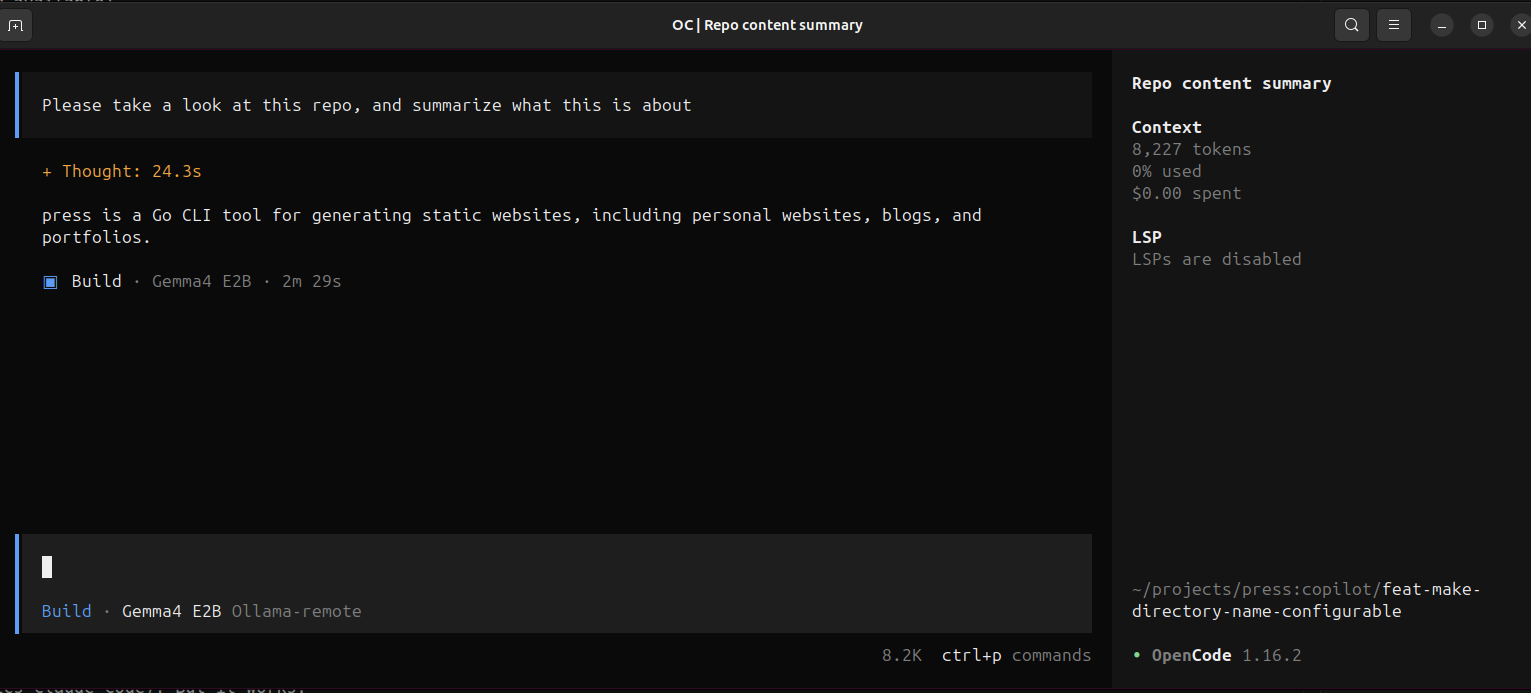
Well, my mind was not blown. Anyone with some experience in running local LLMs would probably have told me that my GTX 970 is not good enough. It takes ages for a response to be generated (compared to GitHub Copilot and Anthropic's Claude Code). But it works.
Conclusion
I need a better graphics card if I want to keep digging down this rabbit hole.